
Why a Satellite Messenger Beats a Smartphone for Wilderness Safety
By Cap Puckhaber, Reno, Nevada
I have tested gear in remote corners of the world for years. As Cap Puckhaber, I know a dead battery or failed signal changes a trip quickly. That’s why considering tools like Garmin InReach is essential for safety. Thinking a smartphone makes dedicated satellite tools unnecessary is a dangerous mistake. Relying solely on a phone could be a life-altering error.
Backpacking requires gear that works every time. Recent smartphone satellite features create a false sense of security. Many hikers enter the wilderness with only a glass device, not realizing how different these systems are until they need help. Understand these differences before leaving the trailhead.
Technology changes faster than most can track. I ran a head-to-head test of the Garmin inReach, the SPOT series, and smartphone updates. Findings might surprise those valuing simplicity and reliability. Since your life depends on this choice, pay attention to the details.
My First Hand Experience with Satellite Tools
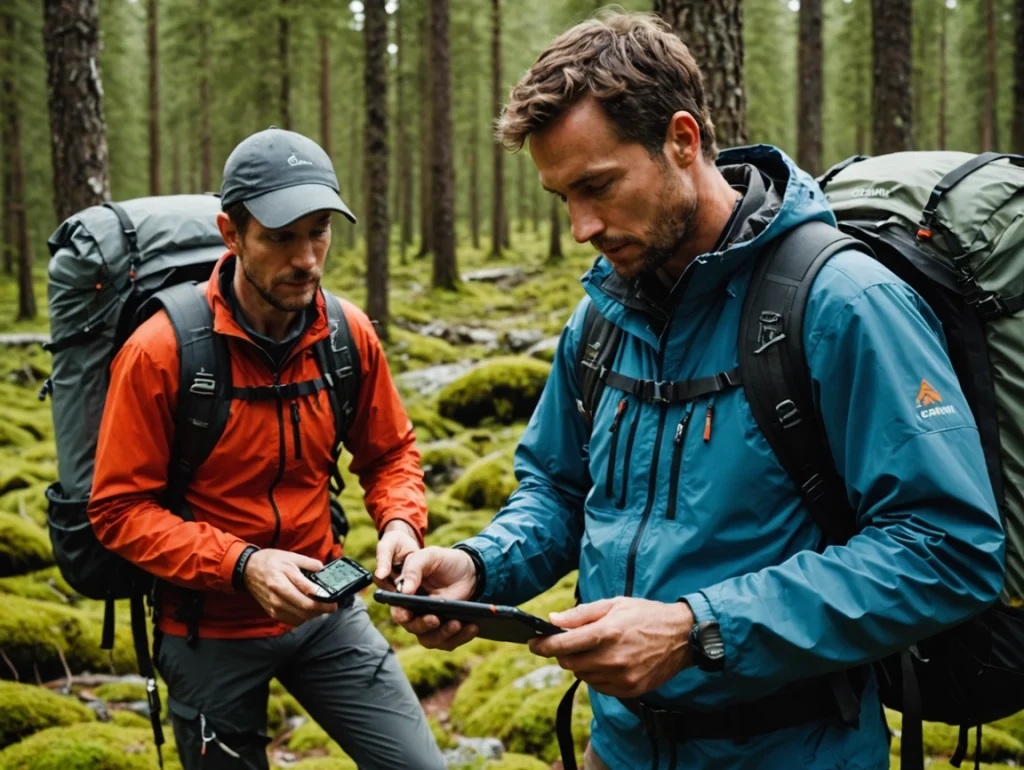
In Big Bend, I used a Garmin inReach Mini 2 because I trust its rugged build. Daily, I sent a check-in message with one button press. A clear beep confirmed success. It never failed during a week of solo trekking.
A fellow hiker used a smartphone for the same task. He waited over a minute for cellular service to fail before the satellite option appeared. He stood frustrated in the sun waiting for a software prompt. This showed how different user experiences can be.
Once the prompt appeared, he had to rotate his body to align the phone with a moving satellite. Even after finding a signal, the connection dropped before the message sent. But a phone is a supplement, not a replacement.
The Problem with Physical Alignment
Satellite signals are finicky in canyons. Garmin devices handle obstructions better than phones. The inReach uses an external antenna and doesn’t require pointing. You can clip it to your pack and keep walking. This hands-free operation is a massive advantage when tired.
Smartphone systems require full attention to maintain a link. You must follow on-screen arrows to stay connected. This is a major drawback if injured or moving through difficult terrain. Shaking hands make it hard to keep a phone steady. I prefer a tool that works while I focus on footing.
Phones often fail in dense forests. I have been under thick canopies where my phone was a brick, but my satellite messenger squeezed a text through. Reliability in poor conditions is why I carry a specialized device. You cannot choose the perfect spot for an emergency.
Understanding the Network Gap
Your device’s network determines where you can get help. Garmin uses the Iridium network, providing global coverage. Every square inch of Earth is covered by this constellation. This reach gives me peace of mind abroad.
SPOT and many smartphones use the Globalstar network. While excellent in North America and Europe, it has significant gaps elsewhere. Parts of Africa or South America may have zero connectivity. Check coverage maps before committing. Remote hikers cannot afford dead zones.
Iridium remains the gold standard for rescue. Professional search and rescue teams, maritime, and aviation industries rely on it. Miles from civilization, I use the tools experts use. This choice is about proven technical performance.
Why Global Coverage Matters
Many hikers eventually visit exotic destinations. Buying a device with regional limitations forces a later upgrade. Invest in a global tool from the beginning to save money and ensure protection regardless of coordinates.
I have spoken with travelers stranded in the Andes without a signal. Their device worked in California but failed in high-altitude South America. They relied on others carrying Garmins. It is worth the cost to know your SOS button works everywhere.
Within the United States, coverage can be spotty. Canyons and peaks block certain signals. Because Iridium has more satellites, connection chances are higher. You spend less time waiting for a satellite to pass. This efficiency can be the difference in a rescue.
Durability and Environmental Protection
Backcountry tools must survive falls and rain. I have dropped my inReach on rocks repeatedly. It has scratches, but the hardware functions. Physical buttons are easy to press with thick gloves. Ruggedness is a core feature of wilderness devices.
Phones are mostly glass. A hard drop can shatter the screen or damage sensors even with a case. Touchscreens fail when wet or muddy. Trying to text in a rainstorm with a touchscreen is a nightmare when you need help.
The inReach is waterproof, so I don’t worry during river crossings. It can stay submerged and function perfectly afterward. Most phones are only water-resistant and not designed for prolonged exposure. I want a device as tough as the environment.
Dealing with Extreme Temperatures
Cold weather kills smartphone lithium-ion batteries. I have seen phones die in minutes below freezing. Devices shut down to protect internal chemicals. Winter hikers and climbers must keep phones against their skin to keep them alive.
Dedicated messengers handle a wider temperature range. Batteries are optimized for slow, steady discharge. My inReach performs in sub-zero conditions without lagging. It is a reliable partner for four-season adventuring.
Heat is also damaging. A phone in the sun quickly reaches its thermal limit and turns off. Navigation apps crash when phones get too hot. The inReach handles sun better because it lacks a power-hungry processor. It stays cool while smartphones overheat.
The Battery Life Comparison
Battery management is vital. I can leave my inReach on for days without recharging. It stays in a low-power state, checking messages occasionally. This efficiency allows me to carry fewer power banks and less weight.
Phones are power-hungry due to bright displays. Using navigation and photos kills the battery by evening. Satellite communication accelerates this drain. Constantly checking battery percentages creates anxiety.
I recommend a backup battery if you rely on a phone. However, an inReach can last weeks with occasional use. This reliability is vital for thru-hikers. You don’t want to ration power three days from town.
Managing Power in the Field
I keep my phone in airplane mode to save power. New smartphone satellite features often require turning airplane mode off, burning battery faster. It is a frustrating trade-off between communication and longevity.
Dedicated messengers only have one job. They don’t search for cell towers or sync emails. Being specialized makes them more energy-efficient. I focus on the trail instead of a charging cable.
Despite the lure of a single device, I prefer two tools. I use my phone for mapping and photography. My satellite messenger remains a constant link to the outside world. This redundancy ensures safety if one device fails.
SOS Coordination and Response
Apple’s system typically connects to 911 dispatchers. While professional, they may lack specific backcountry training for mountain rescues or helicopter extractions. This can cause confusion during emergency data handoffs.
Garmin uses the Garmin Response center, staffed 24/7 by wilderness rescue experts. They have direct lines to global search and rescue teams. They know exactly what information rescuers need and bridge the gap to local authorities.
Two-way communication during an SOS is comforting. You can tell responders your gear and condition. They provide medical advice or arrival estimates. This interaction reduces panic, which is better than just hoping a signal was received.
The Advantage of Professional Dispatch
Professional dispatchers contact your emergency contacts and update them on rescue progress. This service is included in Garmin subscriptions, removing a burden from loved ones. My wife appreciates talking to a professional if I am in trouble.
But Apple does ask questions about injuries and terrain during SOS. This data is sent to rescuers, giving them a head start. This is a great step forward for smartphone safety.
I still trust dedicated response centers more. They handle thousands of rescues in every environment and focus entirely on satellite emergencies. I want the most experienced people on the other end of my call.
The Hidden Trap of Group Messaging
Hikers in the Indian Peaks recently used iPhone satellite messaging to stay in touch. They tried group texts to coordinate but discovered the system did not support them. The app gave no warning that messages failed.
This is a major safety flaw. If you rely on group chats, you are asking for trouble. Friends might see nothing while you think they are updated. These hikers only realized the mistake hours later when they reached cell service.
You must send individual messages to every person, which takes more time and battery. This is a hurdle for group coordination that many people overlook until too late.
Why Individual Messaging is Safer
I tell groups to message one contact at home who distributes information. This hub and spoke model is more reliable. It ensures important information gets out without wasting time on failed group texts.
Dedicated messengers handle this via proprietary apps. You can set up preset messages for multiple people. These are triggered by one action and are more likely to succeed. They account for technical limitations.
Reliability of delivery matters most. I would rather use a clunky app that guarantees arrival. Seeing a Delivered status is a huge relief. Clarity is the most important part of any communication system.
Navigation and Mapping Integration
Most hikers use phones for navigation. Apps like AllTrails or Gaia GPS are fantastic but require a working phone. If your phone dies, you lose your map and communication. This is a single point of failure.
Many inReach models include built-in navigation. You can see coordinates and follow breadcrumb trails. Some download full topographic maps. This provides a vital backup if a phone becomes unusable.
Dedicated GPS is often more accurate for tracking. It talks directly to multiple satellite constellations for a precise lock. I trust Garmin coordinates more than phone coordinates when finding campsites or water.
The Value of Standalone Maps
I carry a paper map and compass, but a second digital map on my messenger is convenient. It allows me to cross-reference my location. Since the inReach has better battery life, I can leave the map open longer for scouting.
Smartphone maps glitch when you lose a signal if offline maps weren’t downloaded correctly. Many new hikers make this mistake. A dedicated device comes with maps pre-loaded and ready.
InReach data is clear and concise. It gives what you need without social media distractions. This focus helps you stay aware of surroundings. It is a more wilderness-friendly way to navigate.
Cost Considerations and Subscriptions
Smartphone satellite service is often free with the device, which appeals to occasional hikers. I understand wanting to save money on safety gear.
But a high-end smartphone is expensive and fragile. A Garmin inReach Mini 2 costs a fraction of that and lasts years. Garmin also offers flexible plans you can suspend.
I view the subscription as an insurance policy. A small monthly fee is worth global rescue coordination, weather forecasts, and tracking. I would rather cut other expenses than skip satellite service.
Comparing Long-Term Value
If you hike weekly, a dedicated device is a better value. It won’t break on your first trip. A broken phone costs more to replace. I have seen people ruin expensive phones in creeks, so a rugged messenger avoids this.
SPOT offers a lower entry price for hardware and plans. It is a good middle ground if you accept regional coverage limitations. Most people are better off saving for an Iridium-based device for lifetime security.
There is no guarantee iPhone service stays free. Apple may charge in the future, shrinking the price gap. Choose the best tool now, not the cheapest. Quality and reliability should come first for safety.
My Rainstorm Failure Story
Early in my career, I led a group in a heavy rainstorm. I relied on my phone for a check-in. Once pulled out, it was covered in water. The touchscreen became completely unresponsive.
I spent minutes trying to wipe the screen. Every touch registered random clicks. I couldn’t unlock it or send a message and felt foolish for not having my inReach accessible.
I never rely on touchscreens in wet conditions now, so I reached for my inReach on my shoulder strap and used physical buttons. It worked perfectly despite being soaked. Physical buttons are a safety feature.
Learning from Gear Failure
Gear must work in the worst conditions. The real test happens when you are cold, wet, and stressed. Since that trip, I have advocated for rugged hardware to prevent that feeling of helplessness.
Keep communication tools where you can reach them. If you fall and can’t move, you need the device within reach. A phone buried in a pack is useless. I clip my messenger to my body to ensure I can get help if immobilized.
I am a realist about technology’s limitations. Every device has a breaking point. Carrying a dedicated tool adds a layer of protection. This habit has kept me safe for a decade.
Frequently Asked Questions
Can I use iPhone satellite messaging in airplane mode?
No. The phone needs satellite and cellular radios powered on to find a signal. This drains the battery faster. Turn off the satellite search when not in use to preserve power.
Does the Garmin inReach work under heavy tree cover?
The Iridium network is good at penetrating light cover. Thick canopies or deep canyons can still block signals. Find a small clearing if a message doesn’t go through, and the device will keep trying automatically.
Is there a limit to how many messages I can send?
This depends on your service plan. Some offer unlimited texting, while others charge per message. Smartphone services are currently free but may have frequency limits. Check your provider for current pricing.
Do I need a separate GPS if I have an inReach?
Many inReach models have enough power to serve as a primary GPS. The Mini series is better as a backup to a phone. I pair the Mini with my phone for a big screen and rugged communication.
Can I send photos through a satellite messenger?
The Garmin inReach Messenger Plus supports photos. Older models and smartphones are limited to text. Sending photos takes longer and requires a stable connection. It is useful for sharing injury details with doctors.
Final Thoughts from Cap Puckhaber
Enjoy the wilderness without unnecessary risks. Choosing the right tool is part of that preparation. While smartphones are improving, a dedicated device like Garmin or SPOT remains superior for safety.
Read more about professional rescue standards at Bloomberg here for more information. Check technical satellite data at Fast Company at as well. Stay safe on the trail.
About the author: Cap Puckhaber is a marketing strategist, finance writer, and outdoor enthusiast. He writes across CapPuckhaber.com, TheHikingAdventures.com, SimpleFinanceBlog.com, and BlackDiamondMarketingSolutions.com. Follow him for honest, real-world advice backed by 20+ years of experience.
Hiking Guide to Endurance and Smart Pacing
Are Exoskeletons a Game-Changer for Hiking
A Hiker’s Guide To Trekking Poles


Follow Cap Puckhaber on Social Media

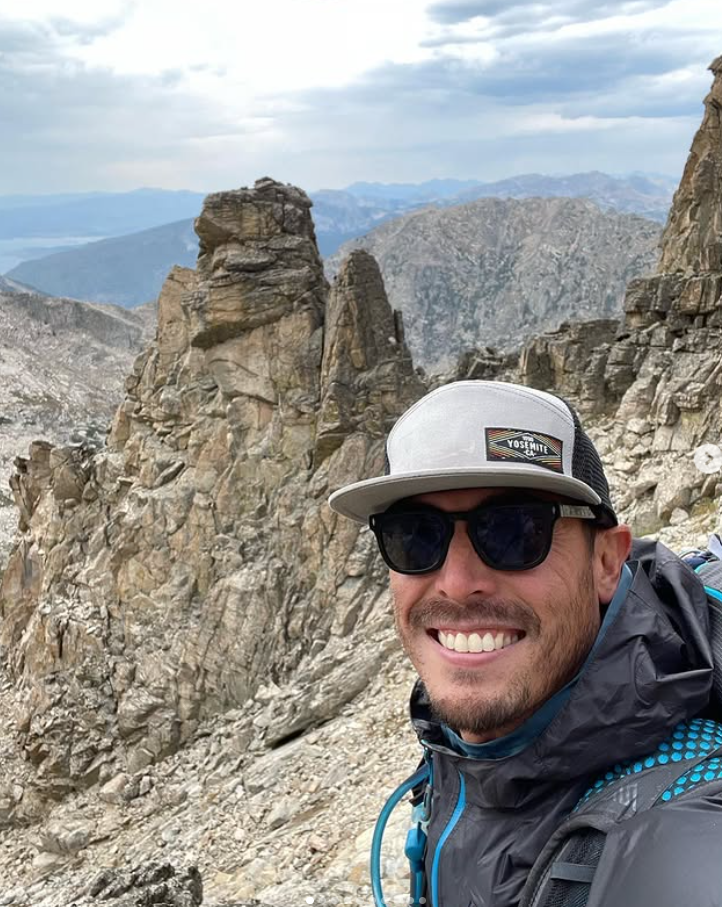
About the Author: Cap Puckhaber
Backpacker, Marketer, Investor, Blogger, Husband, Dog-Dad, Golfer, Snowboarder
Cap Puckhaber is a marketing strategist, finance writer, and outdoor enthusiast from Reno, Nevada. He writes across CapPuckhaber.com, TheHikingAdventures.com, SimpleFinanceBlog.com, and BlackDiamondMarketingSolutions.com.
Follow him for honest, real-world advice backed by 20+ years of experience.